
Cloud vs Server Dental Software: The Decision Is Really About Operating Model
Cloud is not only an IT preference. For dental groups, it changes updates, backups, remote access, reporting and how quickly the team can standardise work.
Published
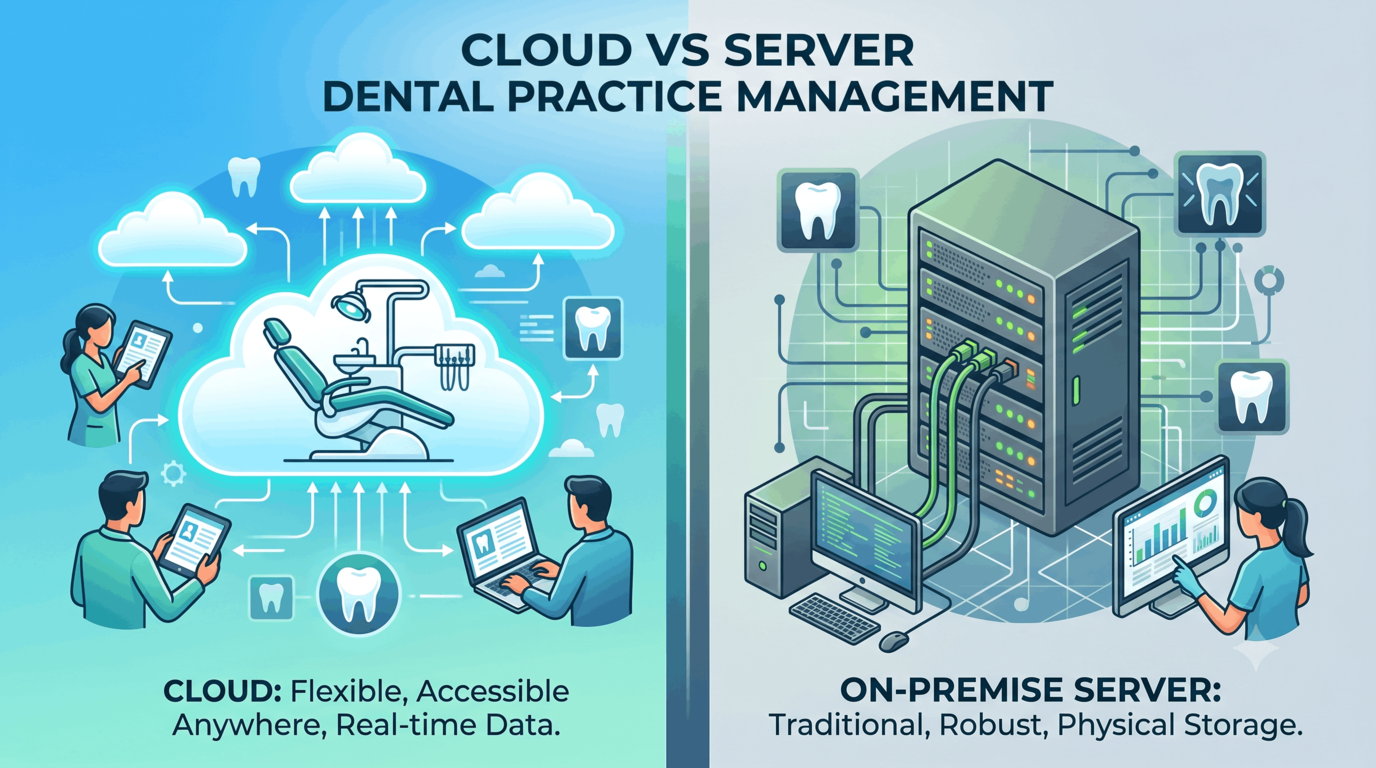
Most owners first hear "cloud vs server" as an IT question. Where will the database sit? Who owns the hardware? How do people log in?
Those questions matter, but they are not the real decision. The real decision is how the clinic will operate.
A server-based system says the clinic is the centre of the software. Your data lives on a machine inside the office, and everyone else connects to it. A cloud system says the workflow is the centre. Reception, doctors, owners, finance and branch managers all reach the same live record from wherever they work.
That distinction is small at one chair. It becomes enormous at two branches.
What server-based software asks you to manage
Server-based dental software can run well. Many clinics have used it for years, and if the setup is stable, the team knows it, and the clinic has no plan to expand, the case for change is not always urgent.
The question is not whether a server can work. It is what the server makes you responsible for:
- Hardware replacement cycles.
- Operating-system updates.
- Software patches on the server and workstations.
- Local network reliability.
- Backups, and the discipline of testing those backups.
- Antivirus and endpoint security.
- Remote access through VPN or other tools.
- Disaster recovery when the office is closed, flooded, moved or offline.
None of those tasks sounds dramatic on its own. Together they form a second operating layer that has nothing to do with treating patients.
The awkward part is that owners often discover the weakness only when something breaks: a failed drive, a missed backup, a workstation that cannot update, a branch running a different version, or a report that takes days because the data must be pulled from several places.
What cloud changes
Cloud dental software removes the local server from the clinic's list of responsibilities. That does not make the system magic. It changes who handles the infrastructure and how the team reaches the work.
The practical changes are usually these:
Access is not tied to one building
The owner can review tomorrow's schedule at home. A biller can support two branches from one desk. A doctor can check a chart between locations. A manager can see today's numbers without asking someone to send an export.
This is the first cloud benefit most teams feel, because it changes daily behaviour immediately.
Updates stop becoming clinic projects
In a server setup, updates tend to become events: schedule downtime, warn the team, call IT, update workstations, deal with the one computer that refuses to cooperate.
In a cloud system, the vendor manages the platform update. Your team opens the software and works on the current version.
That matters for security, but it also matters for adoption. If half the team avoids updates because updates are painful, the clinic runs on old workflows even after buying new software.
Reporting has one source
Multi-branch reporting is where server-based systems start to feel heavy. Each location may have its own database, naming habits, price lists and timing. By the time a group-level report is assembled, it may describe last month rather than today's decisions.
Cloud does not automatically make a report useful, but it gives reporting a fighting chance: one live dataset, one set of definitions, one branch comparison.
See opening your second clinic for the numbers that matter once branch comparison becomes a weekly habit.
Cloud-hosted is not the same as cloud-native
This distinction is worth slowing down for.
Some systems are described as cloud-based because they are hosted somewhere else and accessed remotely. The old architecture may still behave like a server product: sessions through remote desktops, awkward integrations, slow screens, update windows, and a user experience that depends on workarounds.
A true cloud system is designed around browser access, shared live data and permissions from the start.
When evaluating vendors, do not ask only "is it cloud?" Ask:
- Can every role use it in a normal browser without a remote desktop?
- Does each branch work from the same live database?
- Are updates handled without workstation-by-workstation effort?
- Can permissions be scoped by branch and role?
- Can the clinic export its own data if it leaves?
- What happens if one branch's internet is down?
- How are backups managed and tested?
The answers tell you whether you are buying a modern operating model or only moving the old one into a data centre.
Where server-based software may still make sense
Server-based software is not automatically wrong. It may still be a rational choice when:
- The clinic has one location and no realistic plan to expand.
- The existing system is stable and the team is productive.
- There is a reliable IT partner who actively monitors backups and security.
- Remote access is rarely needed.
- The owner is not trying to consolidate reporting across branches.
The mistake is staying on a server because "it already works" while quietly adding every workaround cloud was meant to remove: spreadsheets for reports, WhatsApp messages for approvals, manual exports for finance, remote access tools for managers, and duplicated records across branches.
At that point the server is no longer cheaper. It is simply less visible.
The comparison that matters
| Decision area | Server-based model | Cloud model |
|---|---|---|
| Access | Tied to office network unless remote tools are added | Browser access from approved devices |
| Updates | Planned and managed locally | Managed by the platform |
| Backups | Clinic or IT partner must configure and test | Platform-managed, with vendor process to verify |
| Multi-branch reporting | Often assembled from separate locations | Built from shared live data |
| Growth | Each branch adds infrastructure | Each branch adds configuration |
| Failure mode | Server, network or workstation issue can stop work locally | Internet and platform availability become the key dependencies |
| Management focus | Hardware and version control | Workflow, permissions and adoption |
Neither side removes responsibility. Cloud moves the responsibility away from hardware and toward process discipline: clean data, clear permissions and well-trained teams.
How PDental handles it
PDental is built as a cloud clinic management platform. There is no server to buy, no workstation version to maintain and no local database to stitch into reports later. Reception, chairside users, owners and branch managers work from the same connected system.
That matters because PDental is not only a scheduler or a billing tool. A patient enquiry can become an appointment, a treatment plan, an invoice, an insurance claim, a material movement, a lab order and a report without being retyped into separate systems.
For growing practices, branch-level permissions, branch comparison reporting, shared patient records and standardised configuration keep the second location from becoming a second operating language. For single clinics, the practical benefit is simpler: the system is available wherever the work needs to happen, and the team is not maintaining the machine that runs it.
Where to start
List everything your current server makes you do in a month: backups, updates, workstation fixes, remote access, exports, branch reports, security checks and support calls. Then attach a person and a time cost to each one.
That list is the real comparison. Cloud is not cheaper because it avoids a box in the office. It is cheaper when it gives the clinic back the attention that box keeps taking.
Frequently asked questions
Is cloud dental software always better than server-based software?
Not always. A stable single-location clinic with strong IT support and no growth plan may decide the disruption is not worth it yet. Cloud becomes much more compelling when owners need remote access, multiple branches, consistent reporting, easier updates and less dependence on local hardware.
What is the biggest hidden cost of server-based dental software?
{ "The visible cost is the server": { " The hidden cost is operational attention": "backups someone must check, updates someone must schedule, workstations that fall out of sync, VPN access that breaks, and reports that are assembled after the fact because each location holds its own version of the truth." } }
What should a clinic ask before moving to cloud software?
Ask whether the system is truly browser-based or merely hosted, what data will be migrated, how backups and exports work, how permissions are scoped by role and branch, and what happens during go-live support. The answer should be operational, not just technical.
Does cloud software solve multi-branch management by itself?
No. Cloud access is the infrastructure. Multi-branch management also needs branch-level permissions, shared patient records, consolidated reporting, standardised price lists, shared insurance workflows and a way to compare performance without exporting spreadsheets.