
The Hidden Costs of Legacy Dental Software (And Why Cloud is the Future)
Legacy desktop dental software looks cheap until you tally server maintenance, IT retainers, manual backups, data vulnerability, and multi-branch isolation. Here is the true cost breakdown.
Published
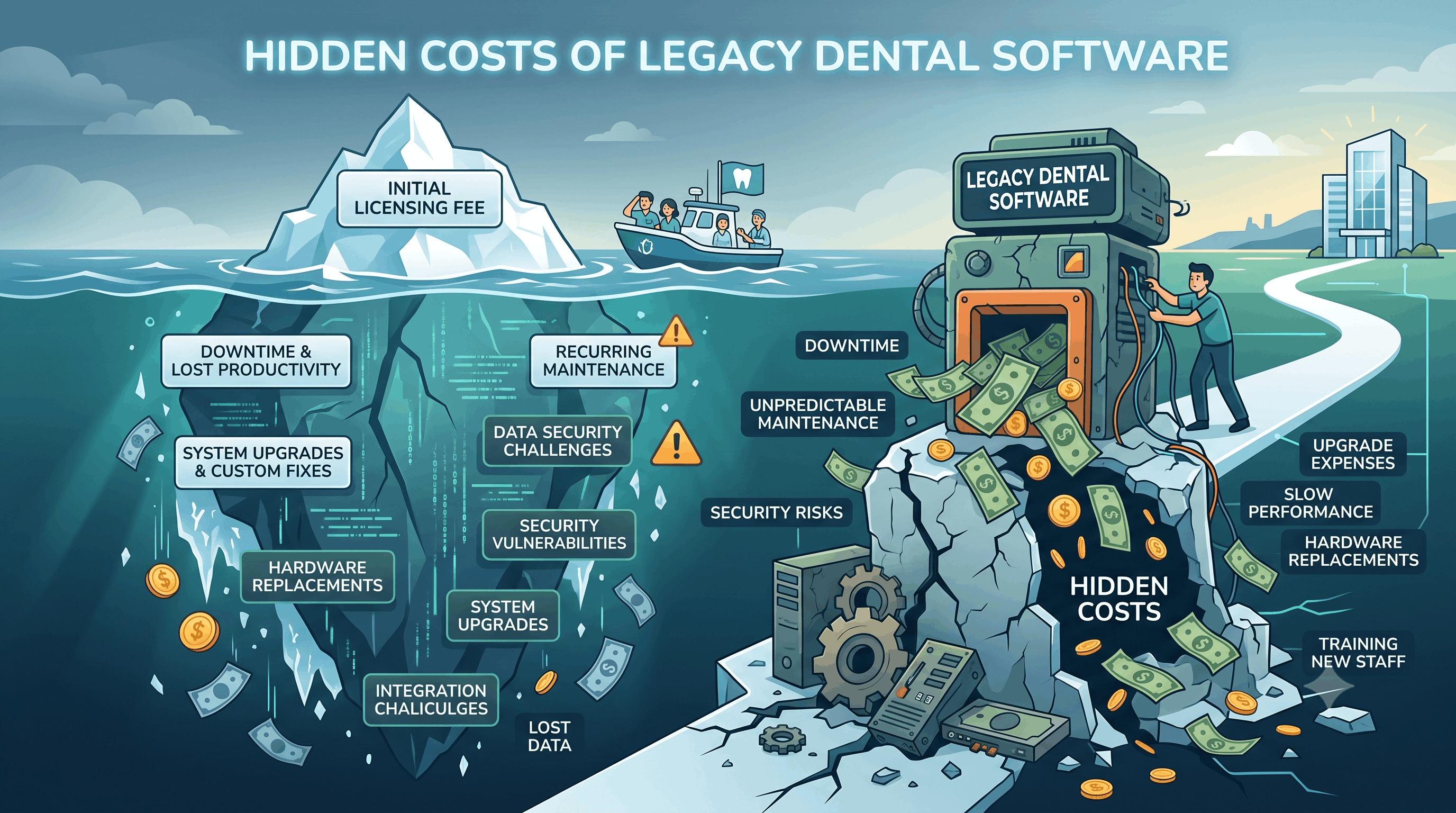
When evaluating practice management systems, many clinic owners assume legacy desktop software is the economical choice. You buy a license, set up a server in the back office, and pay a small annual maintenance fee.
On paper, it looks predictable. In reality, legacy software is plagued by invisible financial drains.
From emergency IT support fees to lost revenue during server crashes, the true Total Cost of Ownership (TCO) of legacy dental software is significantly higher than modern cloud alternatives. Here is a breakdown of where legacy systems leak money—and why cloud infrastructure is the undisputed future.
1. TCO Breakdown: Legacy vs. Cloud Infrastructure
To see the real financial comparison, you must calculate all hardware, IT support, and risk factors over a 5-year lifecycle.
| Expense Category | Legacy Server-Based System | Cloud-Native System (PDental) |
|---|---|---|
| Server Hardware | $3,000 – $6,000 every 4 years (Plus UPS & cooling) | $0 (Runs on existing laptops/tablets) |
| IT Maintenance Retainer | $200 – $500/month for server admin & OS patches | $0 (Managed seamlessly by platform) |
| Data Backup System | $50 – $150/month for offsite backup software | $0 (Automated continuous cloud backups) |
| Update Process | Manual installation per terminal; potential downtime | $0 (Instant automatic cloud updates) |
| Multi-Branch Linkage | Expensive VPN setups or remote desktop licenses | $0 (Unified cloud workspace out-of-the-box) |
| Data Breach Risk | High (Unencrypted local drives, physical theft risk) | Enterprise Encrypted & Compliant |
2. The Five Hidden Costs of Legacy Dental Systems
Hidden Cost 1: The Local Server Refresh Cycle
On-premise servers are not a one-time purchase. Server operating systems reach end-of-life, hard drives fail, and database sizes expand. Clinics are forced into costly hardware upgrades every 3 to 5 years, often accompanied by data migration anxiety.
Hidden Cost 2: IT Retainers and Emergency Support
When a legacy server experiences a database lock, network failure, or corrupt index, clinic operations ground to a halt. Front desk cannot book appointments, doctors cannot view charts, and billing stops. Resolving server crashes requires urgent (and expensive) IT technician house calls.
Hidden Cost 3: The Vulnerability of Manual Backups
Many practices rely on USB drives, external hard drives, or unmonitored scripts for backup. If ransomware encrypts the server or a physical flood/fire destroys the back room, years of patient records and financial ledgers can disappear instantly.
Hidden Cost 4: Multi-Branch Fragmentation
Growing from one clinic location to two or three reveals the biggest limitation of legacy software. Linking separate clinic servers requires complex VPN tunnels or expensive terminal servers. Management must manually compile Excel sheets from each branch to understand overall performance.
Hidden Cost 5: Forced Feature Stagnation
Upgrading legacy desktop software requires updating every workstation individually. Because upgrades risk breaking custom setups, clinics defer updates for years, locking themselves out of modern capabilities like WhatsApp integration, online booking widgets, and AI workflows.
3. Why Cloud is the Uncontested Future of Dental Management
Cloud-native dental software shifts the technical burden away from the clinic, providing key operational advantages:
- Browser Accessibility: Authorised staff can access the practice management platform securely from any device—laptop, tablet, or workstation—without complex software installation.
- Instant Centralization: Multi-branch groups view real-time patient charts, inventory levels, and financial performance across all locations seamlessly.
- Built-in Resilience: Enterprise cloud platforms utilize redundant data centers with continuous automated backups, guaranteeing 99.9% uptime and bulletproof disaster recovery.
4. Transitioning Smoothly with PDental
PDental was engineered specifically as a cloud-first platform:
- Zero Server Footprint: Eliminate server maintenance, cooling costs, and local network complexity.
- Seamless Legacy Data Migration: Transition your historical patient records, appointment histories, and ledgers effortlessly.
- Continuous Software Evolution: Benefit from regular, zero-downtime updates with the latest clinical and administrative features.
By leaving legacy software behind, clinic owners protect their financial bottom line while empowering their team with a modern, fast, and accessible workspace.
Frequently asked questions
Why is legacy dental software more expensive in the long run than cloud software?
Legacy software incurs heavy hidden costs—on-premise server hardware replacements every 3–5 years, ongoing IT support retainers, manual backup management, server electricity/cooling, and severe downtime risks during updates or hardware failures.
How does cloud dental software eliminate hardware maintenance costs?
Cloud software runs entirely in secure web browsers. The infrastructure, database optimization, security patches, and backups are handled by the cloud provider, requiring zero local servers or dedicated clinic IT hardware.
Is patient data safer in the cloud or on a local clinic server?
Secure cloud providers offer enterprise-level encryption (TLS 1.3 in transit, AES-256 at rest), automated redundant offsite backups, and strict compliance controls that far exceed the physical and cyber security of a local server kept in a clinic back office.